BRAND NEW
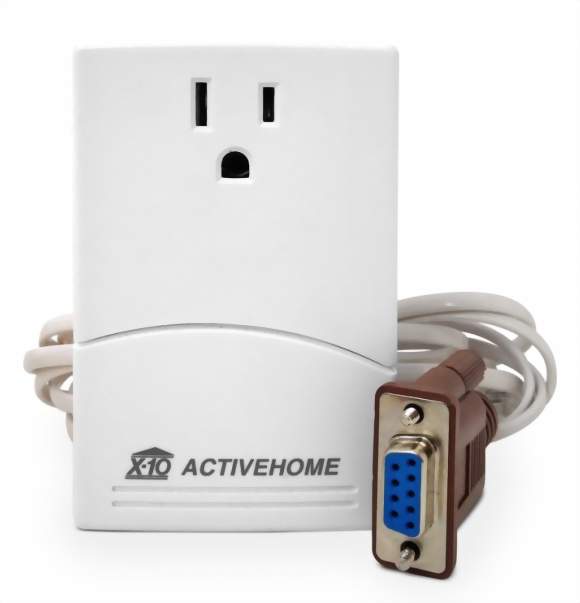
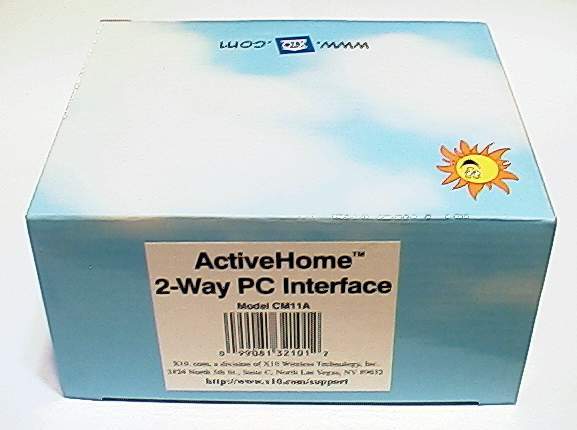
ActiveHome CM11A Serial Computer Interface
- Can NOW be used with the CM15A ActiveHome PRO interface software SW31A (version 3.318) purchased separately from X10 or with any SW31A you may already have from another X10 purchase.
- X10 brand model number CM11A ActiveHome Serial Computer Interface.
- Brand New in the box with One Year Warranty.
- By upgrading to the SW31A software, you can use the CM11A with Windows 7 64 bit operating systems. The newest CM11A compatible version of the SW31A software is 3.318.
- The CM11A is virtually future proof with the option of using the standard software for older Windows PC's or the newest software for the most current up to date Windows PC's.
- Control any X10 module in your home from your computer.
- Simple plug-in installation. The CM11A ActiveHome Serial Computer Interface can be moved to any outlet you choose after programming. Can even be moved to another house or building.
- Create schedules to run the lights and appliances 24 hours a day.
- Setup security schedules to make your home look "lived-in" while you're away.
- Define macros that control groups of X10 modules based on inputs received from remote controls, sensors, etc.
- The CM11A ActiveHome Serial Computer Interface is fully 2-way, both capable of transmitting onto and receiving X-10 commands from the AC power line.
- Capable of managing up to 256 devices, so you'll have no problem with expandability.
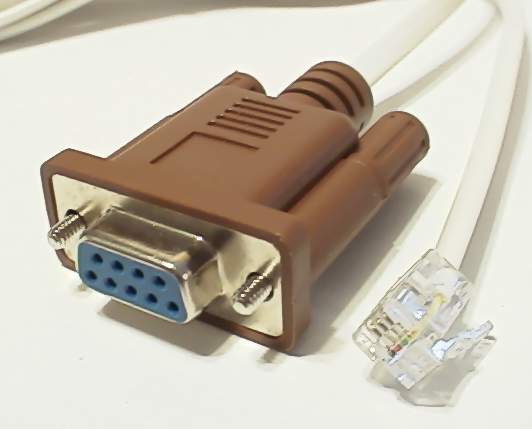
- Connects to your computer for programming via a 9 pin serial port. RS-232 serial cable is included.
- The CM11A ActiveHome Serial Computer Interface has a built-in pass-thru outlet rated at 15 Amps. Doesn't tie up one of your outlets.
- Once it's programmed, a computer is no longer needed for the CM11A ActiveHome Serial Computer Interface to work. Can work on its own to carry out timers and macros-whatever you set it up to do.
- Battery backup (2 AAA) saves programming in the event of a power failure for up to a week.
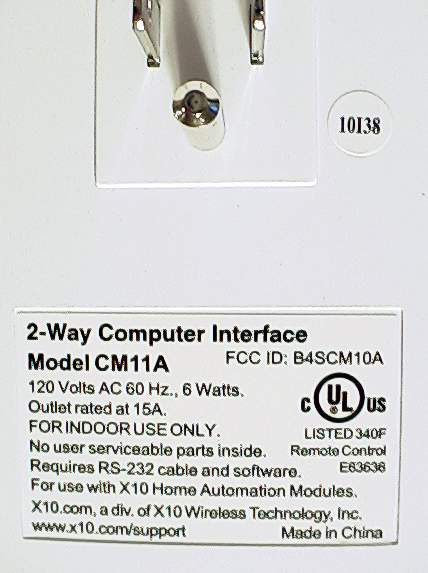
- UL listed. 120 Volts AC 60 Hz. 6 Watts.
- The interface measurement in inches is: (L W D) 4 x 2.5 x 1.5
- Color is white.
- Don't have a serial port? No problem. Click here for instructions on how to use the CM11A ActiveHome Computer Interface with a Serial to USB adapter.
This is the Genuine Original model number CM11A ActiveHome Serial Computer Interface. These are a limited production run and were manufactured in 2010 just for us. They are as brand new as you can possibly find anywhere. Originally a deal was worked out with another seller that had backed out for whatever reason--too bad for him, good for us. Our X10 rep knew we wanted these if they ever came across any so he made the offer to us and we took over the deal they had already set up. It is literally a once in a lifetime opportunity to get any more of these.
These are not the RCA brand knock-off of the CM11A. These are the genuine, original, true blue, actual model number CM11A ActiveHome Serial Computer Interface PERIOD!!
(Original Software)
Rather than having your lights go on and off at the same time each day, you can use the Dawn and Dusk feature. Simply choose the nearest major city from the Geographic Location menu, and the ActiveHome interface will calculate dawn and dusk times for your location each day. No matter what time of year, lights of your choice can be turned on or off at dawn or dusk.
- IBM compatible computer with a 386DX processor or better.
- Windows 3.x, 95, 98, ME, NT4, 2000, XP and Vista. We can confirm that the original software will not install on Windows 7 64 bit systems. Our guess is that the same would be true for 64 bit XP and Vista machines.
- Just released by X10, you can upgrade to the ActiveHome PRO SW31A software that can be used with 64 bit PC's including Windows 7. If you already have the SW31A software, you can use it with the CM11A--no additional purchase is needed. The SW31A software comes with the CM15A USB interface and sometimes with their CM19A interface depending on the adds they are currently running. We don't sell their software titles but if you'd like to purchase a title of the SW31A software, we have worked out a deal with our X10 rep for $15.00. The number to call is 1-800-675-3044 Extension 2827. His name is Markus. Just mention that you were referred to him by the X10Shop.com to get the special price on the SW31A software. FYI: You would only need one SW31A title to use with all your X10 interfaces.
- A minimum of 8 MB RAM and 5 MB of available hard drive space.
- 9-pin serial port. You can also use a USB to serial port adapter if you don't have a serial port on your PC.
- CM11A ActiveHome Serial Computer Interface.
- 9-pin serial cable.
- Instructions. You can download the most current ORIGINAL software as it becomes available free of charge from the X10 website by clicking here.
For a more detailed explanation of this product, you can read up on the CM11A ActiveHome Serial Computer Interface at the X10 website by clicking here and here.
In case you don't have a serial port on your PC, we have tried a serial to USB port adapter and the CM11A will work with Windows 7. Be sure the adapter you choose is Windows 7 compatible. Not all of them are. The SW31A software appears to work fine with the CM11A. When you open the software, you select TOOLS which allows you to set up the port to use with the CM11A. You can view a screenshot of this by Clicking here.
The beauty of the CM11A and the optional software upgrade to the PRO version is that it can be used on virtually any Windows PC ever made, in current production, or that will be made in the future. You can use the CM11A and it's original software with older (even pre USB) PC's and the most current up to date Windows 7 machines in either 32 or 64 bit just by using new software. Even the PRO CM15A USB interface can't do that!
Compatible with all manufacturer's X10 home automation products including those from but not limited to GE, IBM, HomeLink, Leviton, Magnavox, RCA, Radio Shack, Safety First, Smarthome, Stanley, X10, and X-10 PRO.
Class of X10 home automation device:
Transmitter/Controller
Product Reviews
Showing reviews 1 - 5 of 5
-
Works great with Plug Computers.
Posted by OddballHero 2 months ago
Awesome backup for my PSC05! Works well with Plug Computers. Just need a pl2303 compatible serial to usb dongle. Also kernel modules for pl2303 and usbserial, easy to build and no need to replace kernel. Shows up as /dev/ttyUSBX where X is the port number. Works well with heyu like previous review which is available in most distributions or easy to build from source. Even though X10 recommends against it, can provide real time clock (RTC) function for computers without hardware clock (better than nothing). Easy to set and get date. Command are simple to use like: heyu info heyu date heyu on A5 heyu off A5 Pretty self explanatory. Available for free from http://www.heyu.org/. Get a cm17a (http://www.thex10shop.com/product/x10-x-10-firecracker-serial-computer-interface-cm17a) along with this and you can connect it to the same dongle (the cm17a has a pass through function which heyu supports) and you can send out cm17a RF specific commands (along with the standard cm11a commands) such as: heyu fon A5 heyu foff A5 By the way, tried this without cm11a and still works. Anyway, great device for home automation. Easy to schedule with cron or use your own daemon. Would advice to buy cm11a/cm17a combo for both powerline and rf control.
-
theX10shop delivers, the device works (will see how long)
Posted by anonymous 3 months ago
I received a new cm11a in the box in a timely manner. So 5 stars to theX10shop. In my experience, the cm11a, in general, seems to have some kind of design flaw where they will eventually start to fail. This is my 3rd cm11a. I've been using these devices (from different stores) for many years with the linux program "heyu". They work perfectly when new. After some years (~5?) of continuous use they start to fail. The failure they exhibit is that they will intermittently just lock up and not respond to the computer. If you unplug them from the wall for an hour or so they will revive themselves, but the lockups will just get more and more frequent. The one I just bought from theX10shop looks identical to my previous models. It's working great now -- let's hope that it continues. I just bought a 4th one for backup, just in case.
-
It Works!
Posted by Dinsy 5 months ago
I have the CM11A being controlled by the ActiveHome Pro software on a Windows 7 computer. Works flawlessly. I just installed the software (no special settings, was in ADMIN mode), selected the CM11A interface, and there you go. All done! I also have an RR501 Transceiver, wall switches, lamp modules, and appliance modules set up. Everything works great. Oh, did I mention that the price here is very good compared to several other sites I visited, including eBay. Thanks guys!!
-
Good as Gold
Posted by JB last year
Got the product in a new box and even has that new product smell to it. I would highly recommend anyone who owns a CM11A to buy one as a backup for that rainy day
-
Works Perfectly with Win 7 Pro 32bit
Posted by anonymous last year
This little gem is a steal! No need to go to that other *vendor* with the awful website. Download ActiveHome and install it from an account with administrator privileges. BEFORE you fire up ActiveHome for the first time, right-click on the shortcut and under "Properties" set its Compatibility Mode to "Windows 95". At the same time be sure to set the compatibility mode for "X10 Communications Link" to "Windows 95", To get the Start Menu ActiveHome entries to show up for all users, copy the ActiveHome folder from: C:\Users\"administrator account"\AppData\Roaming\Microsoft\Windows\Start Menu\Programs to: C:\ProgramData\Microsoft\Windows\Start Menu\Programs The first time you fire up Active Home go under "File" and "Save as" your *.x10 file(s) to a new directory not in C:\Program Files\Home Control because Win 7 doesn't like unsigned applications making changes on C:\Program Files. Download and run "Windows6.1-KB917607-x86.msu" which will enable Win 7 to handle ActiveHome's *.hlp files. If you have a new computer, you are unlikely to have a serial port but you will almost certainly have a serial port header on your motherboard. All you need is a computer chassis bracket with the DB9 plug on it and the standard cable that goes to the mobo. Mine was "donated" from a junk computer. I have so much wireless *stuff* that I preferred to use the hardwired like to the CM11. Have fun!
Showing reviews 1 - 5 of 5


